Recommended title: Stay Private Online: 5 VPN Services Worth Comparing in 2026

Last Updated on September 10, 2026
Information and product details reviewed 29 July 2026. VPN features and prices change, so check the provider before buying.
A virtual private network, or VPN, creates an encrypted connection between your device and a VPN server. This can be useful on hotel, airport and café Wi-Fi, and it can prevent your internet provider from seeing the individual websites you visit. It also replaces your visible internet address with the VPN server’s address.
That is useful privacy, but it is not an invisibility cloak. A VPN does not stop you giving a password to a fake website, downloading malicious software, replying to a scammer or being tracked after you sign in to Facebook or Google. Choosing a VPN begins with understanding that modest but worthwhile job.
When a VPN is genuinely useful
- Using unfamiliar Wi-Fi: a VPN adds an encrypted tunnel between your device and the VPN service.
- Reducing internet-provider visibility: the provider can see that you connected to a VPN, but not the destinations inside the tunnel.
- Limiting location-based tracking: websites see the VPN server’s internet address, although cookies and account logins can still identify you.
- Travelling: a VPN may help you use services as if you were in another location, although streaming services and websites can block VPN traffic.
- Adding privacy on several devices: one subscription may cover computers, phones, tablets and sometimes a router.
What a VPN does not protect
| Risk | Will a VPN solve it? | What helps instead |
|---|---|---|
| Phishing email or fake login page | No | Check the address, use a password manager and turn on multifactor authentication. |
| Malware or a dangerous attachment | No | Install updates, use device security and avoid unexpected files. |
| Tracking while signed in | Usually no | Review account privacy settings and limit unnecessary sign-ins. |
| A weak or reused password | No | Use unique passwords, passkeys and a password manager. |
| A dishonest VPN company | No | Choose carefully because the VPN can observe connection information. |
| All online advertising | No | Use browser privacy controls and a reputable content blocker where appropriate. |
Five established services to compare
This is a comparison shortlist, not a permanent league table. The best choice depends on your devices, travel, tolerance for settings and willingness to pay. Prices are deliberately omitted because introductory deals can make a cheap service look expensive, or an expensive service look suspiciously cheap, depending on which Tuesday you visit.

1. Proton VPN
Proton VPN is worth considering if privacy and a usable free option matter. Its free plan has no advertising and no data limit, although it offers fewer choices than paid plans. The company publishes apps for major platforms and offers more advanced controls for users who want them. A free plan is useful for testing whether a VPN fits your routine before paying.
2. Mullvad
Mullvad takes an unusually simple approach to accounts and pricing. It uses numbered accounts and does not require an email address to create one. It appeals to privacy-focused users who do not need a heavily promoted streaming service. Its straightforward pricing avoids the long introductory contract followed by a startling renewal bill.
3. NordVPN
NordVPN is widely available, supports many devices and combines a simple main connection button with optional security features. It may suit households wanting broad device support and polished apps. Check the ordinary renewal price, not only the first-term discount, and decide whether bundled extras are useful or merely decorative.
4. Surfshark
Surfshark may appeal to a household with many devices because it permits unlimited simultaneous connections under its standard consumer offering. Its apps are approachable, and optional bundles add other security tools. Again, compare renewal pricing and confirm which features belong to the VPN plan rather than a higher-priced package.
5. ExpressVPN
ExpressVPN focuses on simple apps, broad platform support and help for less common devices. It is often priced above budget competitors, so the question is whether its interface, support and device coverage justify the difference for you. Confirm the current device limit and renewal terms before subscribing.
How to judge the privacy promise
- Independent audits: look for recent published audits of apps, infrastructure or no-logging claims, and read what the audit actually covered.
- Ownership and jurisdiction: know which company operates the service and where it is based.
- Data collected: distinguish payment and account data from browsing or connection logs.
- Technology: modern protocols such as WireGuard or a well-maintained equivalent generally offer good speed and security.
- Kill switch: this can stop internet traffic if the VPN disconnects unexpectedly.
- Updates and support: security software that is abandoned or impossible to troubleshoot is not a bargain.
Free VPNs need extra scrutiny
Running a global network costs money. A free service must be funded somehow, perhaps through a limited plan that encourages upgrades, advertising, data collection or another business. A reputable limited free tier from an established provider can be useful. An unknown unlimited service making extravagant claims deserves suspicion. Avoid installing a VPN merely because a pop-up says your connection is unsafe.
Set it up safely
- Download the app from the provider’s official website or your device’s official app store.
- Create a unique account password and turn on multifactor authentication if offered.
- Install the VPN only on devices you understand and use.
- Choose the automatic or recommended protocol unless you have a specific reason to change it.
- Turn on the kill switch if you need continuous protection on public Wi-Fi.
- Test ordinary websites, email, video calls and banking before travelling.
- Record the renewal date and ordinary renewal price in your calendar.
Speed, streaming and banking
Every VPN adds another stop to the journey between your device and a website, so some loss of speed is normal. Nearby servers are usually faster. If video calls or streaming become unreliable, try the provider’s automatic server, a nearby location or a different supported protocol. Do not disable security settings at random after reading a forum comment written for a different device.
Banks and government websites sometimes challenge or block a VPN connection because the server address is shared by many people or appears to be in another country. Disconnecting briefly may solve the problem. Always confirm that you are using the genuine bank app or website first. A VPN does not make online banking unsafe, but an unusual location can trigger reasonable fraud controls.
Subscriptions deserve their own comparison
VPN advertising often emphasises a low monthly equivalent that requires paying for one, two or even three years upfront. Compare the total first payment, the ordinary renewal price, refund period and cancellation method. A bundled antivirus, data-removal service or password manager may duplicate tools you already have. More icons in an app are not automatically more protection.

For a household, check simultaneous device limits and whether each person needs a separate account profile. For travel, download and test the apps before leaving home. Some countries restrict VPN use, and hotel networks may require you to complete their sign-in page before the VPN can connect.
Questions to ask before choosing
- Does it support every phone, tablet and computer you intend to use?
- Can you reach a human support service if setup fails?
- Is the privacy policy understandable about activity, connection and account data?
- Has the relevant no-logging or infrastructure claim been independently examined recently?
- What will the service cost at renewal, and how do you cancel?
- Can you trial it without committing several years of payment?
- Do you need streaming and overseas locations, or simply safe use on shared Wi-Fi?
Troubleshooting without creating a new problem
If email stops, websites reject logins or the internet appears disconnected, pause the VPN and test the connection. Restart the app, choose an automatic server and install updates. If the problem remains, use the provider’s official support page. Do not install a second VPN on top of the first. Competing network tools can make diagnosis unnecessarily theatrical.
A practical decision
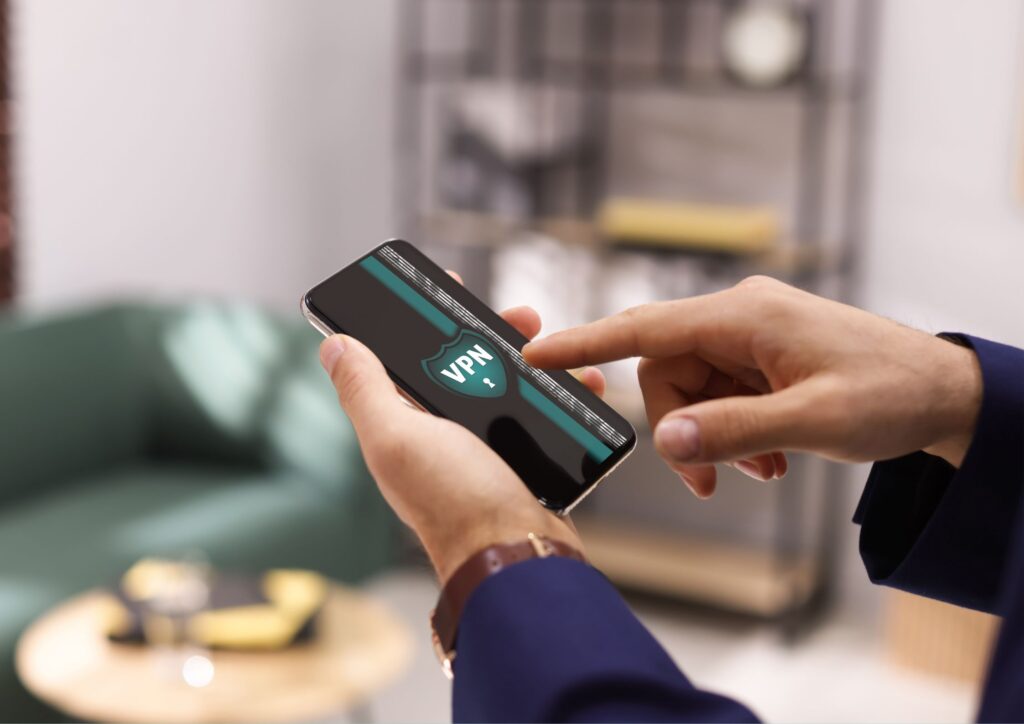
If you mainly browse at home on an updated device and use encrypted websites, a VPN is optional rather than essential. If you travel frequently, use shared networks or want to reduce internet-provider visibility, it can be a sensible extra layer. It should sit beside updates, passkeys, multifactor authentication and scam awareness, not replace them.
Choose the service you can operate confidently, then review it every six months. Privacy products change ownership, pricing and policies. Loyalty is admirable in friends and dogs; it is not required in security software.
Frequently Asked Questions
- What exactly is a VPN and how does it work?
- A VPN (Virtual Private Network) creates a secure, encrypted connection between your device and the internet. It routes your internet traffic through a server in a location of your choice, hiding your real IP address and encrypting your data. This makes it much harder for anyone to track your online activities or steal your information.
- Are VPNs legal to use?
- Yes, VPNs are completely legal in the United States, Canada, and most countries worldwide. They’re legitimate privacy tools used by individuals and businesses alike. However, it’s important to note that while the VPN itself is legal, it shouldn’t be used for illegal activities.
- Will a VPN slow down my internet connection?
- A VPN may slightly reduce your internet speed because it encrypts your data and routes it through another server. However, top VPN providers have optimized their services to minimize this impact. Most seniors won’t notice significant slowdowns during regular activities like email, web browsing, or video calls.
- How difficult is it to set up a VPN?
- Modern VPNs are designed to be user-friendly. Most services offer simple applications that can be installed with just a few clicks. After installation, connecting is usually as simple as pressing a single “Connect” button. Many VPN providers also offer detailed setup guides and customer support to help if you encounter any difficulties.
- Can I use a VPN on my tablet or smartphone?
- Absolutely! All the VPNs recommended in this article work on multiple devices, including tablets and smartphones. Most services allow you to protect 5-10 devices simultaneously with a single subscription, making them excellent value for households with multiple devices.
- Do I need technical knowledge to use a VPN?
- Not at all. While VPNs use sophisticated technology behind the scenes, they’re designed to be accessible for all users. The basic functions—connecting, disconnecting, and choosing a server location—are typically straightforward. PureVPN and NetworkSolutions are particularly good choices for seniors who prefer simplicity.
- Will a VPN protect me from all online threats?
- A VPN provides excellent protection against many threats, but it’s not a complete security solution. It should be used alongside other security measures like antivirus software, strong passwords, and cautious browsing habits. Think of a VPN as one important layer in your overall digital security strategy.
- How much does a good VPN cost?
- Monthly plans typically range from $3-12, with significant discounts available for longer subscriptions. Many providers offer annual plans that reduce the monthly cost by 50% or more. When comparing prices, consider the features included—sometimes paying slightly more provides substantially better security or ease of use.
- Can a VPN help me watch international television shows?
- Yes! One popular benefit of VPNs is the ability to access geo-restricted content. By connecting to a server in another country, you can potentially access streaming services and content available in that region. This is particularly useful for watching international news, sports, or entertainment not available in your location.
References
- National Cyber Security Alliance. (2023). “Online Safety Tips For Older Adults.” StaySafeOnline.org
- Federal Trade Commission. (2024). “6 Ways To Better Protect Customer Data.”
- AARP. (2024). “Families, Older Adults Worry About Paying for Internet as Affordable Connectivity Program Ends.”
Disclaimer: Now 4 Group may earn a commission if you subscribe to any of the above services. This will not impact the cost to you.